
Voice over for presentations is defined as recorded narration layered over visual slides to guide, persuade, and convert an audience without requiring a live presenter. Sales teams that add professional narration to their decks see conversion rates rise 20–24%, with some B2B cases reporting up to 4x improvement in sign-ups. Understanding how voice over supports sales presentations means understanding why the human voice carries trust, clarity, and emotional weight that bullet points simply cannot. Tools like PowerPoint’s built-in narration, AI platforms like Typecast and Rep.ai, and professional voice actors each offer a different path to the same goal: a presentation your prospect actually finishes.
What are the key benefits of voice over in sales presentations?
Voice over transforms a passive slide deck into an active selling tool. When a prospect reads your deck alone, they control the pace, skip slides, and miss your emphasis. A narrated presentation controls the story.

The numbers behind this are hard to ignore. Completion rates exceed 85% when voice over is combined with strong visuals, compared to far lower rates for static decks sent without audio. That means more of your prospects reach your pricing slide, your case study, and your call to action.
Here is what voice over specifically delivers for sales teams:
- Clarity: Complex products become easier to understand when a voice explains each feature in real time, reducing the cognitive load of reading dense text.
- Emotional connection: Emotionally delivered voice pitches consistently outperform scripted slides and monotone narration in both engagement and memorability.
- Recall: High-quality narration paired with animation or visuals increases conversion by up to 20% by improving how well prospects remember your message after the presentation ends.
- Accessibility: Narrated decks serve prospects who prefer audio learning, non-native readers, and anyone reviewing your deck in a noisy environment.
- Consistency: Every prospect hears the same pitch, with the same emphasis, every time. No rep variation, no off days.
The importance of voice overs in sales goes beyond aesthetics. A narrated deck is a scalable sales asset. You record it once and it works around the clock, across time zones, without a rep on the line.
Pro Tip: Record a short 60-second narrated intro slide for your deck. Prospects who hear a real voice in the first 30 seconds are far more likely to keep watching than those who open to a silent title page.
AI vs. human voice actors: which wins for sales?
The choice between AI-generated narration and a professional human voice actor is not about quality alone. It is about stakes, volume, and what your audience needs to feel.
| Factor | AI Voice Over | Human Voice Actor |
|---|---|---|
| Speed | Sub-1-hour for a 20-slide deck | Days to weeks depending on revisions |
| Cost | Low per-unit cost at scale | Higher upfront investment |
| Emotional nuance | Limited contextual awareness | Full range of tone, warmth, urgency |
| Best use case | High-volume, quick-turnaround content | High-stakes demos, enterprise pitches |
| Language support | Multilingual with one tool | Requires separate talent per language |
| ROI peak | Volume and rapid prototyping | Critical presentations requiring trust |
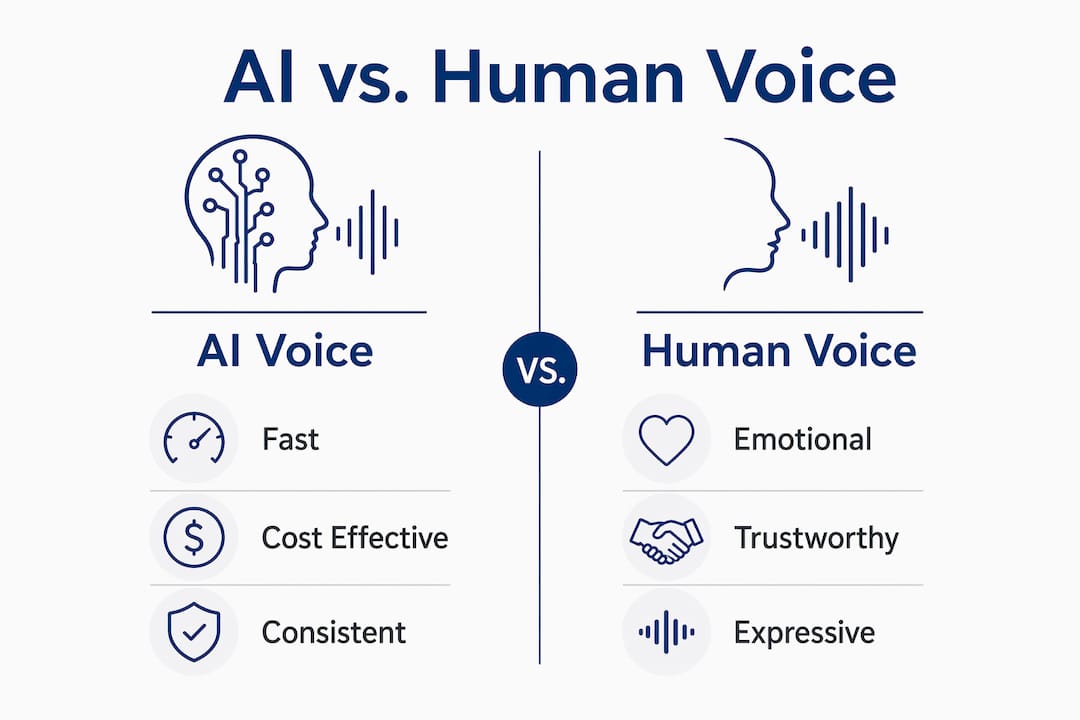
AI tools have largely overcome the uncanny valley problem. Modern platforms like Typecast and SyncSlide produce narration that sounds natural to most listeners. The real gap is contextual awareness. An AI voice cannot read the room, adjust emphasis based on a client’s industry, or deliver the kind of warmth that closes a seven-figure deal. Professional voice actors maximize ROI on critical presentations precisely because emotional nuance is where human voices still lead.
The smart approach for most sales teams is a hybrid model. Use AI narration for prospecting decks, product overviews, and onboarding content. Reserve professional human voice talent for executive-level demos, custom enterprise pitches, and any presentation where the relationship is the deal.
One technical issue that catches teams off guard is syncing. Audio must be tightly synced with slide transitions to avoid a stutter effect that reads as unprofessional. Set each slide’s advance timing to trigger just after the audio clip finishes, not simultaneously.
Pro Tip: When using AI voice tools, run your finished deck past one person outside your team before sending it to a prospect. Fresh ears catch robotic phrasing and awkward pauses that you stop noticing after the fifth review.
Best practices for using voice over in sales presentations
Getting voice over right is a craft, not just a technical task. The script, the pacing, and the structure all determine whether your narration closes deals or loses attention.
Write for conversation, not reading. The single biggest mistake sales teams make is narrating their slide text word for word. Conversational design in voice over scripts drives conversion lifts above 24% compared to linear narration. Write your script the way you would explain the product to a smart friend, not the way you would write a white paper.
Match voice style to your audience. A narration for a CFO audience should sound measured and precise. A narration for a startup founder should sound direct and energetic. The voice style you choose signals whether you understand your buyer. This is one reason voice over casting matters more than most sales managers realize.
Here is a practical workflow for building a narrated sales deck:
- Write your script slide by slide, keeping each narration under 45 seconds per slide.
- Read the script aloud before recording. If you stumble, rewrite the sentence.
- Record or generate audio, then import each clip into your slide tool.
- Set slide advance timings to trigger one second after each audio clip ends.
- Export the deck as a video or self-running presentation for async sharing.
- Test the full deck on both desktop and mobile before sending.
Pacing is everything. Narration that rushes through complex information loses the prospect. Narration that drags loses attention. Aim for a natural speaking pace of roughly 130–150 words per minute for sales content. Slower for technical explanations, slightly faster for momentum-building sections.
For teams working without a studio setup, the DIY voice over guide from Gregeschmeyervoice covers how to get clean audio from a home or office environment without professional equipment.
Which tools help sales teams build narrated presentations?
The right tool depends on your volume, budget, and how much customization your presentations require.
PowerPoint remains the most accessible starting point. Its built-in Record Slide Show feature lets you narrate each slide individually, sync timings automatically, and export the finished deck as a video. It supports multilingual narration and easy embedding and updating of audio clips across the full deck.
Typecast is an AI voice platform that integrates directly with PowerPoint workflows. You paste your script, select a voice, and generate narration in minutes. It supports dozens of languages and voice styles, making it practical for global sales teams.
Rep.ai focuses specifically on interactive sales demos. It layers voice over onto product walkthroughs and supports branching, so prospects can choose their own path through the demo while still hearing guided narration.
SyncSlide converts PowerPoint decks into fully narrated videos using AI-enabled voice generation with natural intonation. It is built for teams that need to produce polished video presentations at scale without a video production budget.
The efficiency gains from these tools are significant. AI-driven voice over tools reduce production time for narrated decks by up to 95%, making it possible to produce a polished 20-slide narrated presentation in under an hour. That changes the economics of personalized outreach entirely.
For teams exploring AI-powered production at a broader scale, platforms like Image Studio combine voice generation with visual content creation for a more complete production workflow.
Key takeaways
Voice over in sales presentations directly increases conversion rates, completion rates, and audience recall when applied with the right script, voice style, and technical setup.
| Point | Details |
|---|---|
| Conversion lift is measurable | Professional narration drives 20–24% higher conversion rates in sales demos. |
| Completion rates depend on audio | Narrated visual decks achieve over 85% completion, far above silent alternatives. |
| AI suits volume, humans suit stakes | Use AI for high-volume content and human voice actors for critical enterprise pitches. |
| Conversational scripts outperform linear ones | Writing for dialogue instead of reading drives 24%+ conversion gains in interactive demos. |
| Sync timing is non-negotiable | Set slide advance timings just after each audio clip ends to avoid stutter and maintain professionalism. |
What i have learned after watching hundreds of sales decks
Most sales managers I talk to underestimate how much the voice itself shapes the outcome of a presentation. They focus on the slides, the data, the design. The voice is almost an afterthought. That is a mistake I have seen cost deals.
The presentations that perform best share one quality: the narration sounds like a person who genuinely believes in what they are selling. Not a script reader. Not a corporate announcement. A person. That quality is hard to fake with AI, and it is hard to manufacture with a voice actor who does not understand the product. The best results come when the voice talent takes time to understand the buyer’s problem before recording a single word.
Pacing is the other thing most teams get wrong. They rush. They pack too much into each slide because they are afraid of silence. Silence in narration is not dead air. It is emphasis. The pause after a strong claim is where the prospect’s brain processes and agrees. Cut your script by 20% and your narration will perform better almost every time.
The other lesson worth sharing: test with real prospects, not internal reviewers. Your sales team will approve anything that sounds professional. Your prospects will tell you, through their behavior, whether the narration actually moved them. Watch completion rates, not compliments.
For teams serious about voice and pacing technique, the principles that work in film narration translate directly to sales presentations. The mechanics of holding attention are the same.
— kribi
Get a professional voice for your next sales presentation
When the deal is large enough to matter, the voice carrying your pitch should be built for it.
Gregeschmeyervoice delivers professional narration with a grounded, conversational style that builds trust from the first sentence. Greg Eschmeyer has worked across commercials, B2B demos, and broadcast content, with clients consistently noting his fast turnaround and ability to match the exact tone a presentation needs. For sales teams that want a voice that sounds like a real person, not a generated track, professional voice over services from Gregeschmeyervoice are worth the conversation. You can also review voice over best practices to prepare your script before your first session.
FAQ
How does voice over improve sales presentation conversion rates?
Professional narration increases conversion rates by 20–24% by guiding prospects through the deck, reinforcing key claims with tone and emphasis, and reducing drop-off before the call to action.
When should i use a human voice actor instead of AI?
Use a professional human voice actor for high-stakes demos, enterprise pitches, and any presentation where emotional nuance and trust are critical. AI voice tools are better suited for high-volume or rapid-turnaround content.
What is the best script format for a narrated sales deck?
Write conversationally, not as a reading of your slide text. Conversational voice over design outperforms linear narration and drives conversion lifts above 24% in interactive demos.
How do i sync voice over with PowerPoint slides correctly?
Set each slide’s advance timing to trigger one second after the audio clip finishes. Tight audio-to-slide sync prevents stutter effects that undermine the professional quality of your presentation.
Can AI voice tools handle multilingual sales presentations?
Yes. Platforms like Typecast and SyncSlide support multiple languages within a single workflow, making them practical for global sales teams that need consistent narration across markets without hiring separate voice talent for each language.